Configuration
Field mapping
Available hemnet fields can be found in BostadsAPI (v1) documentation. To be able to view the documentation you must be logged in. There exists a general consultant account with email "consultant@lime.tech". Check passwordstate (IE Real Estate) for password.
Application config
Configuration is done in the application config: YAML in application_config.yaml for on-premise installations, and JSON in Cloud Admin (CAFE) for cloud installations. The following schema is given:
hemnet_mapping:
    limetables:
        projects:
            table: <name of limetype>
        units:
            table: <name of limetype>
        showings:
            table: <name of limetype>
    projects:
        fields:
            <hemnet field>:
                limename: <name of limeproperty>
                location: local
            ...
        <hemnet field with mapping = true>:
            <lime value>: <hemnet value>
            ...
    units:
        fields:
            <hemnet field>:
                limename: <name of limeproperty>
                location: local
            ...
    showings:
        fields:
            <hemnet field>:
                limename: <name of limeproperty>
                location: local
            ...
"hemnet_mapping": {
    "limetables": {
        "projects": { "table": "<name of limetype>" },
        "units": { "table": "<name of limetype>" },
        "showings": { "table": "<name of limetype>" }
    },
    "projects": {
        "fields": {
            "<hemnet field>": {
                "limename": "<name of limeproperty>",
                "location": "local"
            },
            ...
        },
        "<hemnet field with mapping = true>": {
            "<lime value>": "<hemnet value>",
            ...
        }
    },
    "units": {
        "fields": {
            "<hemnet field>": {
                "limename": "<name of limeproperty>",
                "location": "local"
            },
            ...
        }
    },
    "showings": {
        "fields": {
            "<hemnet field>": {
                "limename": "<name of limeproperty>",
                "location": "local"
            },
            ...
        }
    }
}
limetables.listings and listings.fields are no longer used (support for listings is deprecated) and can be left out.
Each field mapping requires:
limename- name of the Lime property. Dot notation can be used to go through belongs-to relations.location-local(the property is on the object or reached through belongs-to relations) orhasmany(limenameis given as<related limetype>.<field>, experimental).
Field mapping can be configured to go multiple relations away, both for hemnet field and limeproperty.
Example:
fields:
    broker.emailAddress:
        limename: coworker_realtor.email
        location: local
"fields": {
    "broker.emailAddress": {
        "limename": "coworker_realtor.email",
        "location": "local"
    }
}
Additional field mapping configuration
The following configurations can be set on each field mapping:
- mapping - Needed for option/set fields. Set to true and add a mapping table.
- typeconversion - Type conversion from lime value to hemnet value. One of
int,strorfloat; other values are ignored.
The mapping table is placed under the same object type as the field (next to fields) and is keyed by the Hemnet field name. Lime values that are not in the mapping table are left out of the request to Hemnet.
Example of mapping table:
projects:
    fields:
        tenure:
            limename: form
            location: local
            mapping: true
    tenure:
        <key in lime>: <value in hemnet>
        <key in lime>: <value in hemnet>
        ...
"projects": {
    "fields": {
        "tenure": {
            "limename": "form",
            "location": "local",
            "mapping": true
        }
    },
    "tenure": {
        "<key in lime>": "<value in hemnet>",
        "<key in lime>": "<value in hemnet>",
        ...
    }
}
Windows on-premise Installations
For Windows on-premise installations, the application level configuration is expressed in the file:
%ProgramData%\Lundalogik\LIME Pro Server\application_config.yaml
Add following to the application_config.yaml file:
<application-name>:
  config:
    limepkg-hemnet:
      hemnet_base_url: <hemnet_base_url>
      hemnet_web_url: <hemnet_web_url>
      server_dns: <base URL of the Lime server>
      hemnet_mapping: <Field mapping>

  secrets:
    limepkg-hemnet:
      broker_agency_id: <broker_agency_id>
      hemnet_token: <hemnet_token>
| config | environment | value |
|---|---|---|
| hemnet_base_url | testing | https://integration.testhemnet.se/api/v1/ |
| hemnet_base_url | production | https://integration.hemnet.se/api/v1/ |
| hemnet_web_url | testing | https://www.testhemnet.se/ |
| hemnet_web_url | production | https://www.hemnet.se/ |
| hemnet_token | testing | Same for all integrations. Check passwordstate (IE Real Estate). |
| hemnet_token | production | Same for all integrations. Check passwordstate (IE Real Estate). |
server_dns is the base URL of the Lime server, including scheme and without a trailing slash, e.g. https://customer.lime-crm.com. It is used to build the image URLs that are sent to Hemnet.
Cloud
For Cloud installations, the application level configuration is configured in CAFE (Cloud Administration).
Add following to the Config box in the application configuration in CAFE:
{
    "limepkg-hemnet": {
        "hemnet_base_url": "<hemnet_base_url>",
        "hemnet_web_url": "<hemnet_web_url>",
        "server_dns": "<base URL of the Lime server>",
        "hemnet_mapping": <Field mapping>
    }
}
| config | environment | value |
|---|---|---|
| hemnet_base_url | testing | https://integration.testhemnet.se/api/v1/ |
| hemnet_base_url | production | https://integration.hemnet.se/api/v1/ |
| hemnet_web_url | testing | https://www.testhemnet.se/ |
| hemnet_web_url | production | https://www.hemnet.se/ |
Add following to the Secret box in the application configuration in CAFE:
{
    "limepkg-hemnet": {
        "broker_agency_id": "<broker_agency_id>",
        "hemnet_token": "<hemnet_token>"
    }
}
| config | environment | value |
|---|---|---|
| hemnet_token | testing | Same for all integrations. Check passwordstate (IE Real Estate). |
| hemnet_token | production | Same for all integrations. Check passwordstate (IE Real Estate). |
Note that hemnet_token expires yearly. Replace of this should be coordinated between Real Estate apper team and customer's using the package.
Configuration when using multiple organizations
The configuration in Lime Admin is only needed if you are using multiple organizations.
Application config
When using multiple organizations you need to specify the credentials in the secrets section like the example below.
Each section under broker-agencies must match the string value in the field choosen for organization id on the project limetype. The value must not contain dots (.).
Keep the top level broker_agency_id and hemnet_token. They are used for projects where the organization id field is empty, and when org_id_property is not set.
Example:
<application-name>:
  config:
    limepkg-hemnet:
      hemnet_base_url: <hemnet_base_url>
      hemnet_web_url: <hemnet_web_url>
      server_dns: <base URL of the Lime server>
      hemnet_mapping: <Field mapping>

  secrets:
    limepkg-hemnet:
      broker_agency_id: <default broker_agency_id>
      hemnet_token: <default hemnet_token>
      broker-agencies:
        broker1:
          broker_agency_id: 12345
          hemnet_token: e24cb925-c59a-41e4-9458-a9ac2e90a2ff
        broker2:
          broker_agency_id: 23456
          hemnet_token: 6810ad37-4bd7-4887-8cf3-8e83c6c1652d
The config box is the same as in Cloud. Secret box:
{
    "limepkg-hemnet": {
        "broker_agency_id": "<default broker_agency_id>",
        "hemnet_token": "<default hemnet_token>",
        "broker-agencies": {
            "broker1": {
                "broker_agency_id": 12345,
                "hemnet_token": "e24cb925-c59a-41e4-9458-a9ac2e90a2ff"
            },
            "broker2": {
                "broker_agency_id": 23456,
                "hemnet_token": "6810ad37-4bd7-4887-8cf3-8e83c6c1652d"
            }
        }
    }
}
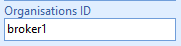
Lime Admin
Choose which text field on the project limetype that will be used for organization id (org_id_property). You have to add a new text field for this on the project limetype if a field doesn't already exist. Both settings are optional; if org_id_property is not set, the top level credentials are used for all projects.
project_limetype is only used to list the properties to choose from for org_id_property. It must be the same limetype as hemnet_mapping.limetables.projects.table, which is what the integration actually uses.
Example:
{
  "project_limetype": "newproduction",
  "org_id_property": "org_id"
}
Web client
View configuration
View configuration for class mapped to project
In the card view, add a new section for Hemnet
{
    "title": "Hemnet",
    "collapsed": true,
    "visible": true,
    "visibleOnCreate": true,
    "layout": {
        "columns": 5,
        "dense": true
    },
    "controls": [
        {
            "property": "hemnet_id",
            "readonly": true,
            "visible": true,
            "visibleOnCreate": true,
            "layout": {},
            "component": {
                "props": {}
            }
        },
        {
            "property": "hemnet_status",
            "readonly": true,
            "visible": true,
            "visibleOnCreate": true,
            "layout": {},
            "component": {
                "props": {}
            }
        },
        {
            "property": "hemneturl",
            "readonly": true,
            "visible": true,
            "visibleOnCreate": true,
            "layout": {
                "colSpan": 3
            },
            "component": {
                "props": {}
            }
        },
        {
            "property": "hemnet_error",
            "readonly": true,
            "visible": true,
            "visibleOnCreate": true,
            "layout": {
                "colSpan": 3
            },
            "component": {
                "props": {}
            }
        }
    ]
}
In the table view, add the following properties where it's fitted
{
    "property": "hemnet_status",
    "isDefault": true,
    "component": {
        "props": {}
    }
}
View configuration for class mapped to projectunit
In the card view, add a new section for Hemnet
{
    "title": "Hemnet",
    "collapsed": true,
    "visible": true,
    "visibleOnCreate": true,
    "layout": {
        "columns": 5,
        "dense": true
    },
    "controls": [
        {
            "property": "hemnet_id_project",
            "readonly": true,
            "visible": true,
            "visibleOnCreate": true,
            "layout": {},
            "component": {
                "props": {}
            }
        },
        {
            "property": "hemnet_status_project",
            "readonly": true,
            "visible": true,
            "visibleOnCreate": true,
            "layout": {},
            "component": {
                "props": {}
            }
        },
        {
            "property": "hemnet_error_project",
            "readonly": true,
            "visible": true,
            "visibleOnCreate": true,
            "layout": {
                "colSpan": 3
            },
            "component": {
                "props": {}
            }
        },
        {
            "property": "hemneturl_project",
            "readonly": true,
            "visible": true,
            "visibleOnCreate": true,
            "layout": {
                "colSpan": 3
            },
            "component": {
                "props": {}
            }
        },
        {
            "property": "hemnet_status_featured",
            "readonly": true,
            "visible": true,
            "visibleOnCreate": true,
            "layout": {},
            "component": {
                "props": {}
            }
        },
        {
            "property": "hemnet_error_featured",
            "readonly": true,
            "visible": true,
            "visibleOnCreate": true,
            "layout": {
                "colSpan": 3
            },
            "component": {
                "props": {}
            }
        }
    ]
}
In the table view, add the following properties where it's fitted
{
    "property": "hemnet_status_project",
    "isDefault": true,
    "component": {
        "props": {}
    }
}
View configuration for class mapped to showing
In the card view, add a new section for Hemnet
{
    "title": "Hemnet",
    "collapsed": true,
    "visible": true,
    "visibleOnCreate": true,
    "layout": {
        "columns": 5,
        "dense": true
    },
    "controls": [
        {
            "property": "hemnet_id_unit",
            "readonly": true,
            "visible": true,
            "visibleOnCreate": true,
            "layout": {},
            "component": {
                "props": {}
            }
        },
        {
            "property": "hemnet_status_projectunit",
            "readonly": true,
            "visible": true,
            "visibleOnCreate": true,
            "layout": {},
            "component": {
                "props": {}
            }
        },
        {
            "property": "hemnet_error_projectunit",
            "readonly": true,
            "visible": true,
            "visibleOnCreate": true,
            "layout": {
                "colSpan": 3
            },
            "component": {
                "props": {}
            }
        }
    ]
}
View configuration for pictures
In the card view, add a new section for Hemnet
{
    "title": "Hemnet",
    "collapsed": true,
    "visible": true,
    "visibleOnCreate": true,
    "layout": {
        "columns": 5,
        "dense": true
    },
    "controls": [
        {
            "property": "hemnet_id",
            "readonly": true,
            "visible": true,
            "visibleOnCreate": true,
            "layout": {},
            "component": {
                "props": {}
            }
        },
        {
            "property": "hemnet_status",
            "readonly": true,
            "visible": true,
            "visibleOnCreate": true,
            "layout": {},
            "component": {
                "props": {}
            }
        },
        {
            "property": "hemnet_error",
            "readonly": true,
            "visible": true,
            "visibleOnCreate": true,
            "layout": {
                "colSpan": 3
            },
            "component": {
                "props": {}
            }
        }
    ]
}
View configuration for class mapped to middle_picture
In the card view, add a new section for Hemnet
{
    "title": "Hemnet",
    "collapsed": true,
    "visible": true,
    "visibleOnCreate": true,
    "layout": {
        "columns": 5,
        "dense": true
    },
    "controls": [
        {
            "property": "hemnet_id_projectunit",
            "readonly": true,
            "visible": true,
            "visibleOnCreate": true,
            "layout": {},
            "component": {
                "props": {}
            }
        },
        {
            "property": "hemnet_status_projectunit",
            "readonly": true,
            "visible": true,
            "visibleOnCreate": true,
            "layout": {},
            "component": {
                "props": {}
            }
        },
        {
            "property": "hemnet_error_projectunit",
            "readonly": true,
            "visible": true,
            "visibleOnCreate": true,
            "layout": {
                "colSpan": 3
            },
            "component": {
                "props": {}
            }
        }
    ]
}
Add Commands in Lime Admin
Publish project units
Go to Views -> limetype mapped to project unit -> table -> actions
Add action with:
- Action id limepkg_hemnet.bulk-publish-units
- Action label limepkg_hemnet.bulk-publish-units.label or your own description
Set project units as featured
Go to Views -> limetype mapped to project unit -> Table -> Actions
Add action with:
- Action id limepkg_hemnet.publish-feature-units
- Action label limepkg_hemnet.publish-feature-units.label or your own description
Go to Views -> limetype mapped to project unit -> Custom actions
Add action with:
- Action id limepkg_hemnet.publish-feature-units
- Action label limepkg_hemnet.publish-feature-units.label or your own description
Remove project units as featured
Go to Views -> limetype mapped to project unit -> Table -> Actions
Add action with:
- Action id limepkg_hemnet.unpublish-feature-units
- Action label limepkg_hemnet.unpublish-feature-units.label or your own description
Go to Views -> limetype mapped to project unit -> Custom actions
Add action with:
- Action id limepkg_hemnet.unpublish-feature-units
- Action label limepkg_hemnet.unpublish-feature-units.label or your own description
Publish project
Go to Views -> limetype mapped to project -> Custom actions
Add action with:
- Action id limepkg_hemnet.publish-project
- Action label limepkg_hemnet.publish-project.label or your own description
Unpublish project
Go to Views -> limetype mapped to project -> Custom actions
Add action with:
- Action id limepkg_hemnet.unpublish-project
- Action label limepkg_hemnet.unpublish-project.label or your own description
Unpublish project unit
Go to Views -> limetype mapped to project unit -> Custom actions
Add action with:
- Action id limepkg_hemnet.unpublish-unit
- Action label limepkg_hemnet.unpublish-unit.label or your own description
Add Web components in Lime Admin
Warning of incorrectly published project units on project card
This webcomponent looks for the amount of incorrectly published project units related to a project based on the property hemnet_status_project on the project unit object. If the amount of incorrectly published project units are bigger than 0, a warning header is shown on the project card, otherwise nothing is shown.
Installation:
- Navigate to Views > Project > Card.
- Add new webcomponent
lwc-limepkg-hemnet-projectunits-publish-warningat the bottom of the page.
Warning of incorrectly published showings on project card
This webcomponent looks for the amount of incorrectly published showings related to the project units related to a project object based on the properties hemnet_status_projectunit on the showing object. If the amount of incorrectly published showings are bigger than 0, a warning header is shown on the project card, otherwise nothing is shown.
Installation:
- Navigate to Views > Project > Card.
- Add new webcomponent
lwc-limepkg-hemnet-showings-publish-warningat the bottom of the page.
Warning of incorrectly published images on project card
This webcomponent looks for the amount of incorrectly published pictures objects related to the project object and incorrectly published middle_picture objects related to a projects project units based on the properties hemnet_status / hemnet_status_projectunit on the pictures / middle_picture objects. If the amount of incorrectly published images are bigger than 0, a warning header is shown on the project card, otherwise nothing is shown.
Installation:
- Navigate to Views > Project > Card.
- Add new webcomponent
lwc-limepkg-hemnet-images-publish-warningat the bottom of the page.
Infotiles
Add the following infotiles in lime admin --> setting --> infotiles
Publicerade project - Hemnet
Unique name: hemnet-published-projects
Filter:
{
    "key": "hemnet_status",
    "op": "IN",
    "exp": [
        "published"
    ]
}
Infotile:
{
    "basic": {
        "name": "Publicerade projekt - Hemnet",
        "limetype": "newproduction",
        "filter": "webclient.newproduction.publiceradepahemnet",
        "type": "COUNT"
    },
    "details": {},
    "label": [
        {
            "lang": "sv",
            "text": "Publicerade projekt - Hemnet"
        }
    ],
    "visibility": {
        "phone": true
    }
}
Publicerade nyproduktionsannonser – Hemnet
Unique name: hemnet-featured-projectunits
Filter:
{
    "key": "hemnet_status_featured",
    "op": "IN",
    "exp": [
        "published"
    ]
}
Infotile:
{
    "basic": {
        "name": "Publicerade nyproduktionsannonser",
        "icon": "upload_to_cloud",
        "color": "rgb(var(--color-cyan-dark))",
        "limetype": "apartment",
        "filter": "webclient.apartment.publiceradenyproduktionsannonser",
        "type": "COUNT"
    },
    "details": {},
    "label": [
        {
            "lang": "sv",
            "text": "Publicerade nyproduktionsannonser"
        }
    ],
    "visibility": {
        "phone": true
    }
}
Fel vid Publicering – projekt
Unique name: hemnet-project-error
Filter:
{
    "key": "hemnet_status",
    "op": "IN",
    "exp": [
        "error_publish",
        "error_unpublish"
    ]
}
Infotile:
{
    "basic": {
        "name": "Fel vid publicering/avpublicering - Projekt",
        "limetype": "newproduction",
        "filter": "webclient.newproduction.felvidavpublicering",
        "type": "COUNT",
        "color": "rgb(var(--color-orange-darker))"
    },
    "details": {},
    "label": [
        {
            "lang": "sv",
            "text": "Fel vid publicering/avpublicering - Projekt"
        }
    ],
    "visibility": {
        "phone": true
    }
}
Fel vid Publicering – objekt
Unique name: hemnet-projectunit-error
Filter:
{
    "op": "OR",
    "exp": [
        {
            "key": "hemnet_status_project",
            "op": "IN",
            "exp": [
                "error_publish",
                "error_unpublish"
            ]
        },
        {
            "key": "hemnet_status_featured",
            "op": "IN",
            "exp": [
                "error_unpublish",
                "error_publish"
            ]
        }
    ]
}
Infotile:
{
    "basic": {
        "name": "Fel vid publicering/avpublicering - Lägenhet",
        "limetype": "apartment",
        "filter": "webclient.apartment.felvidavpublicering",
        "type": "COUNT",
        "color": "rgb(var(--color-orange-darker))"
    },
    "details": {},
    "label": [
        {
            "lang": "sv",
            "text": "Fel vid publicering/avpublicering - Lägenhet"
        }
    ],
    "visibility": {
        "phone": true
    }
}
Desktop client
VBA
- Add the module
AO_Hemnet. - Compile the VBA and make sure you do not get any errors.
- Save the VBA.
Lime Bootstrap App and Actionpad
- Copy the
plugin-hemnetfolder in the apps catalog to the subfolderappsin the Actionpad folder. -
Add the instantiation of the app to the Actionpads where the publish/unpublish functions should be used (as shown below). Replace values in config that you see below.
<div data-app="{ app:'plugin-hemnet', config:{ 'projectLimetype': '<insert your limetype here>', 'unitLimetype': '<insert your limetype here>', 'showingUnitLimetype': '<insert your limetype here>' } }"></div> -
Publish the Actionpads.
Suggestion - Add customization to your solution to unpublish project units when sold
A common wish from customers is that project units automatically should be unpublished from Hemnet when they are sold/no longer available. Here is an example of how to do this in your solution.
from lime_type.limeobjects import LimeObject
from limepkg_hemnet.decorators import projectunit as hemnet_projectunit
import lime_task


@hemnet_projectunit()
class Apartment(LimeObject):
    def before_update(self, uow, **kwargs):
        super().before_update(uow, **kwargs)

        # Unpublish project unit from Hemnet when no longer available
        if (
            self.properties.apartmentstatus.is_dirty()
            and self.properties.apartmentstatus.original_value.key == "available"
            and self.properties.hemnet_status_project.value.key == "published"
        ):
            lime_task.send_task(
                "limepkg_hemnet.tasks.hemnet.unpublish_projectunit",
                self.application,
                self.id,
            ).to_dict()


def register_limeobject_classes(register_class):
    register_class("apartment", Apartment)